
The couple's budget planner
Budget together. Fall in love with your future.
OurMoney is the cute, couple-friendly budget planner for the girl who wants her relationship (and her bank account) to thrive. One shared Excel file, one dashboard for the two of you.
Instant digital download · Excel 2016 or later & Microsoft 365 · No macros
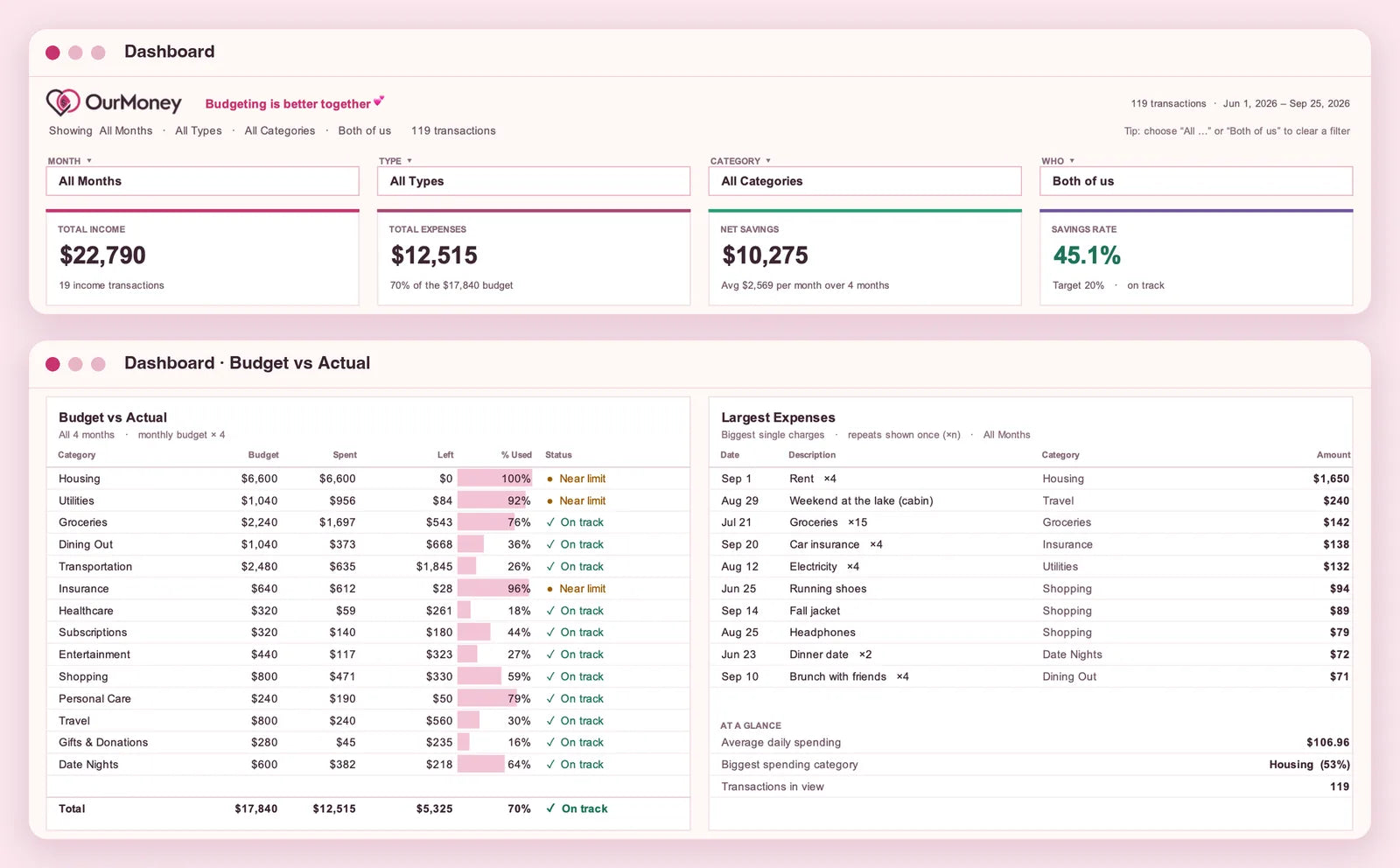
- Savings rate vs. your target
- Budget vs Actual for every category
Watch how it works
See it in action
One shared Excel file, walked through in under 90 seconds: set up your categories and budgets, log what you spend, and let the Dashboard do the maths.
Ready to budget together?
Get OurMoney · $15.99 CADCaptions are on, so it works with the sound off too.
Jump to
Instant digital download · Excel 2016 or later & Microsoft 365 · No macros
How it works
Three tabs, one simple routine.
-
1
Log it
Add each income or expense as one row on the Transactions tab: date, type, category and amount. The month and net amount fill in by themselves.
-
2
See it
The Dashboard updates instantly with your total income, expenses, net savings and savings rate. Filter by month, type, category or partner.
-
3
Tune it
On the Setup tab, add your two names, pick how you split shared costs, and set your categories, monthly budgets, savings-rate goal and a large-expense alert. Every dropdown and chart follows along.
What's inside
-
Dashboard
Four headline numbers, four charts, a Budget vs Actual table and your largest expenses, all on one screen. See both of you together, or filter to just one.
-
Transactions
One shared log for both of you. Pick who paid and whether it was shared, personal or covered for your partner. Big expenses are flagged automatically.
-
Us
Who paid what, your fair split and who owes who, for any month.
-
Goals, Bills & Plan a Trip
Save for shared goals with countdowns, see what's due next, and price a trip together.
-
Insights
Pivot tables and charts with clickable filters for spending by month, category and payment method.
-
Start Here, Setup & Guide
A setup checklist that ticks itself off, your names, how you split, categories and budgets in one place, plus a built-in guide for every tab.
Make it yours
Budgets that fit your life together
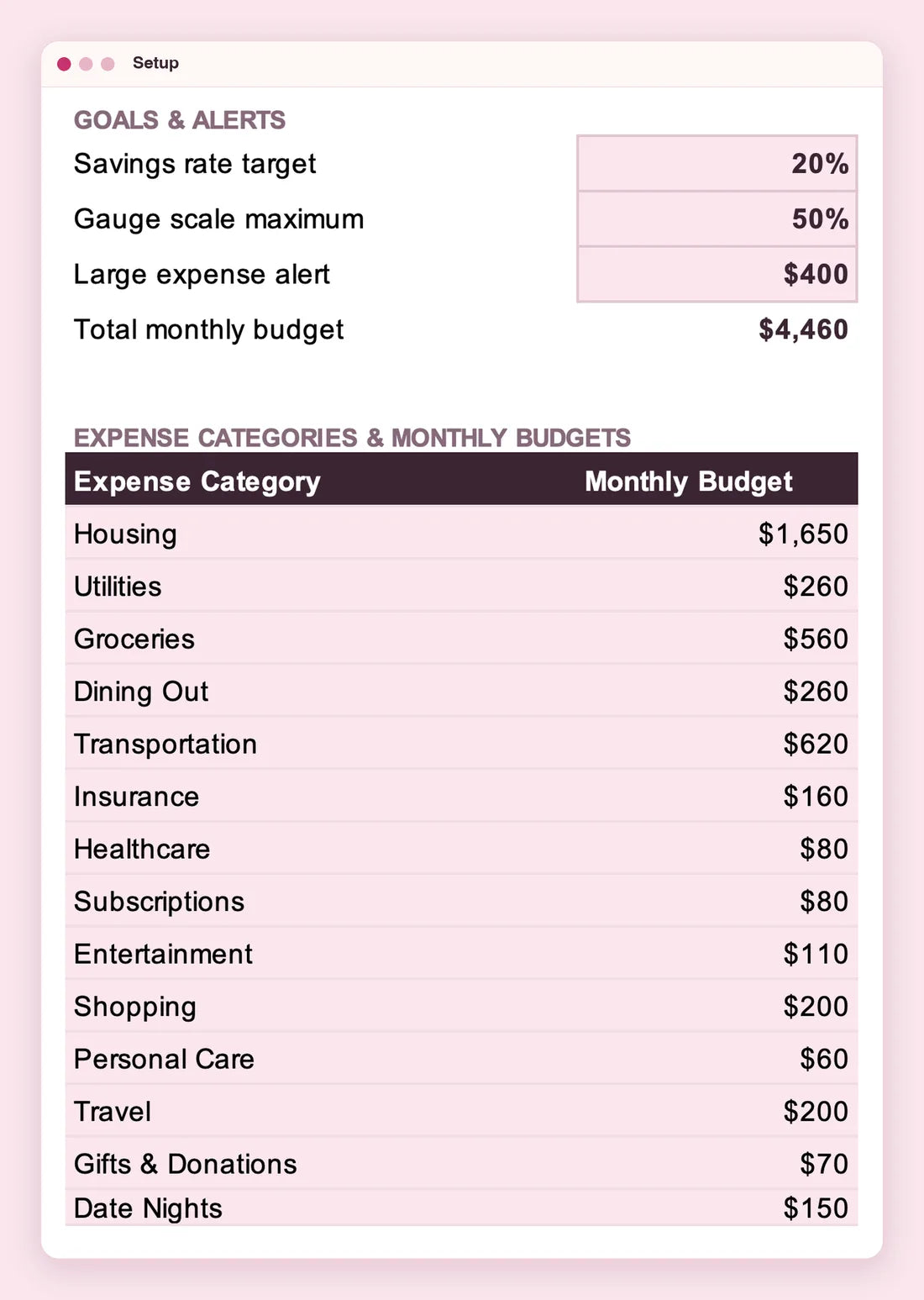
Start with 14 ready-made expense categories, from Housing and Groceries to Dining Out, Travel and Date Nights, each with an editable monthly budget. Rename, add or remove categories, set a savings-rate target and a large-expense alert, and the whole workbook updates automatically.
Made for two
One file. Two of you. One clear picture.
Keep the file where you can both open it and log to the same Transactions table. The Dashboard shows your combined picture, or just one of you. Pick who paid on every transaction and choose how you split shared costs: 50 / 50, by income, a custom percentage or what each of you can put in. The Us tab shows each person's fair share and who owes who.
Questions, answered
Frequently asked questions
What do I need to use it?
Microsoft Excel 2016 or later, or Microsoft 365. It's a regular .xlsx file with no macros or add-ons. A Google Sheets version is in the works, and we'll update this page when it's ready.
How do I get it after I buy?
It's a digital download, so there's nothing to ship. You'll get access to the file after checkout.
Can we customize it together?
Yes. On the Setup tab you can add or edit categories, monthly budgets, payment methods and your savings goal. New entries join every dropdown automatically.
Can we see what each of us spends?
Yes. Each transaction has a Who column. Filter the Dashboard to one of you, or open the Us tab to see who paid what, each person's fair share and who owes who.
How do we split costs if we earn different amounts?
Pick a split on the Setup tab: 50 / 50, by income, a custom percentage, or by what each of you can put in. The Us tab does the maths.
Do I need to know Excel formulas?
No. You type each transaction into one table and the totals, dashboard and charts calculate themselves. A built-in Guide tab walks you through every step.
Be the first to know
Join the OurMoney list for the Google Sheets launch, new releases and simple money tips for couples. No spam.
Ready to plan your happily ever after?
Instant digital download · Excel 2016 or later & Microsoft 365
OurMoney$15.99 CAD
Get OurMoney